Common DTF Printing Problems and How to Fix Them
Part of our guide: What Is DTF Printing? A Complete Beginner's Guide for India
Most DTF printing problems come from five places: the artwork file, the printer and its heads, the consumables, curing, and heat pressing. Peeling and cracking are usually curing or pressing issues, lines and missing colour are usually print head issues, and powder problems are usually about humidity or static. The table below matches each common problem to its likely cause and fix.
If you are new to DTF, our beginner’s guide to DTF printing explains how the method works first.
DTF troubleshooting table
| Problem | Likely cause | Fix |
|---|---|---|
| Print peels after washing | Under-cured powder; low press temperature, time or pressure; moist garment | Cure until smooth and glossy; check press with a thermometer; pre-press garment; always post-press |
| Print lifts with film when peeling | Wrong peel method; low temperature or pressure; under-cured powder | Follow hot or cold peel instructions; increase pressure slightly; re-press for a few seconds |
| Cracking when stretched | Too much white ink; over-cured or brittle powder; wrong powder grade | Reduce white density; shorten curing; try a finer powder |
| Horizontal lines (banding) | Clogged nozzles; head misalignment; feed calibration off | Nozzle check and cleaning; head alignment; feed calibration |
| Missing white or weak white | Settled white ink; clogged white channel; air in lines | Shake or circulate white; clean the white channel; check dampers and lines |
| Ink beading or pooling on film | Printing on wrong side; poor film coating; too much ink | Print on coated side; change film batch; lower ink limit in RIP |
| Smudged print | Touching wet ink; film curling; heads too close | Handle by edges; store film flat; check head height |
| Powder sticking to clear areas | Static on film; humidity; powder not fully shaken off | Use anti-static measures; control humidity; tap and shake film well |
| Powder clumping | Moisture absorbed by powder | Store airtight with silica gel; sieve or replace powder |
| Bubbles or yellowing after curing | Over-curing; too high temperature | Lower temperature or time; check oven evenly |
| Colours dull or shifted | Wrong ICC profile; low ink density; design in out-of-range colours | Use the right profile; print a test chart; adjust design colours |
| White edge visible around design | White layer not choked | Set a small white choke in RIP |
| Rough or rubbery feel | Large solid design; too much ink and powder; no post-press | Use open designs; reduce ink; post-press with parchment |
| Blurry or pixelated print | Low-resolution artwork | Use about 300 DPI at print size |
| Dye migration on polyester | Garment dye moving into white layer at high temperature | Lower press temperature; use anti-migration powder |
Why do DTF prints peel or crack?
These are the problems customers notice, so treat them as the top priority.
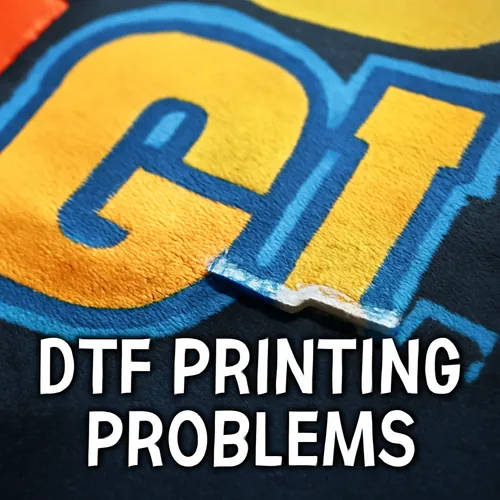
Peeling
A DTF print stays on the fabric because the melted powder grips the fibres. If the powder was not fully cured, or the press did not reach the right temperature and pressure, the bond is weak. Signs to check:
- Powder still grainy after curing? Cure longer or slightly hotter.
- Press display says 160°C but the plate is cooler? Many presses read wrong. Test with an infrared or contact thermometer, and check the edges as well as the centre.
- Garment straight from a humid store room? Pre-press for a few seconds to drive out moisture.
Cracking
Cracking happens when the print layer is too thick or too brittle to stretch with the fabric. Reduce the white ink density, avoid over-curing, and use a powder grade matched to the fabric. Very large solid shapes also crack more easily than open, textured designs.
Why does a DTF printer print lines or miss colours?
Print head problems are the most common daily issue for DTF machine owners, and white ink is the usual reason.
- Run a nozzle check before each batch. Missing segments show you which channel is blocked.
- Clean, but do not over-clean. Repeated heavy cleaning wastes ink and can stress the head.
- Shake or circulate white ink daily. White pigment settles in hours, not weeks.
- Do not leave the printer idle. Long gaps, like a holiday week around Diwali, are when clogs form. Run a small print or a maintenance routine.
- Check consumable parts. Wiper blades, capping stations and dampers wear out and cause problems that look like head failure.
If lines remain after cleaning, recalibrate head alignment and media feed in the printer or RIP settings.
What causes DTF powder problems?
Powder issues are usually about moisture and static.
- In humid weather, powder absorbs water and clumps, and it may stick to the film in places with no ink. Keep it airtight with silica gel.
- Dry AC rooms can build static on the film, pulling powder to blank areas. An anti-static brush or keeping humidity moderate helps.
- Shake the film firmly and tap the back after powdering. Any grains left on clear areas will melt into dots on the garment.
Our guide to DTF ink, film and powder covers choosing and storing consumables to prevent these issues.
How can you prevent most DTF problems?
Prevention is cheaper than reprinting. A short daily routine catches most issues early:
- Check room temperature and humidity.
- Shake or circulate white ink.
- Run a nozzle check and clean only if needed.
- Print a small test design and press it on a spare piece of fabric.
- Check the cured transfer: smooth, glossy and even.
- Confirm press temperature with a thermometer once a week.
For the full workflow with typical settings, see the step-by-step DTF printing process. For file and pressing tips that improve results, read how to improve DTF print quality.
How PrintzyHub helps
Troubleshooting is part of running your own DTF setup. If you would rather focus on your designs and your store, PrintzyHub prints with DTF on its own machines and runs quality control on every order before packing and shipping it under your brand. There is no minimum order, so you can sell one oversize T-shirt or a bulk run. See the full product range and base prices on our catalog page.
Conclusion
Most DTF problems trace back to a few root causes: low-resolution files, settled white ink and clogged heads, damp or static-affected powder, under-curing, and inaccurate heat pressing. Use the table above to find the cause quickly, and build a short daily routine so problems are caught before they reach a customer.
Next step: want to compare your own prints with a professionally made one? Order a PrintzyHub sample and check the print, feel and finish.
Frequently asked questions
Why is my DTF print peeling after washing?
Peeling after washing usually means the powder was under-cured, or the press temperature, time or pressure was too low. Moisture in the garment and skipping the post-press also weaken the bond. Check your curing result first, then test your heat press with a thermometer.
Why does my DTF print crack when stretched?
Cracking often comes from too much ink, especially a thick white layer, from over-cured powder that has become brittle, or from a powder grade that is too coarse for the fabric. Reduce white density slightly and check your curing time.
How do I stop white ink from clogging my DTF printer?
Shake or circulate white ink every day, run a nozzle check before printing, and do not leave the machine idle for days without a cleaning cycle. Keep the room's humidity moderate and use the capping station and wiper in good condition.
Why are there lines across my DTF prints?
Horizontal lines are called banding. They are usually caused by blocked nozzles, a misaligned print head, wrong feed calibration or film slipping during printing. Run a nozzle check, clean the heads, then recalibrate feed and head alignment.
Why do my DTF colours look different from my screen?
Screens show RGB light, while printers mix CMYK ink on a white base, so some bright colours cannot be matched exactly. Use the correct ICC profile in your RIP, print a colour test chart, and adjust your design to colours that print well.